

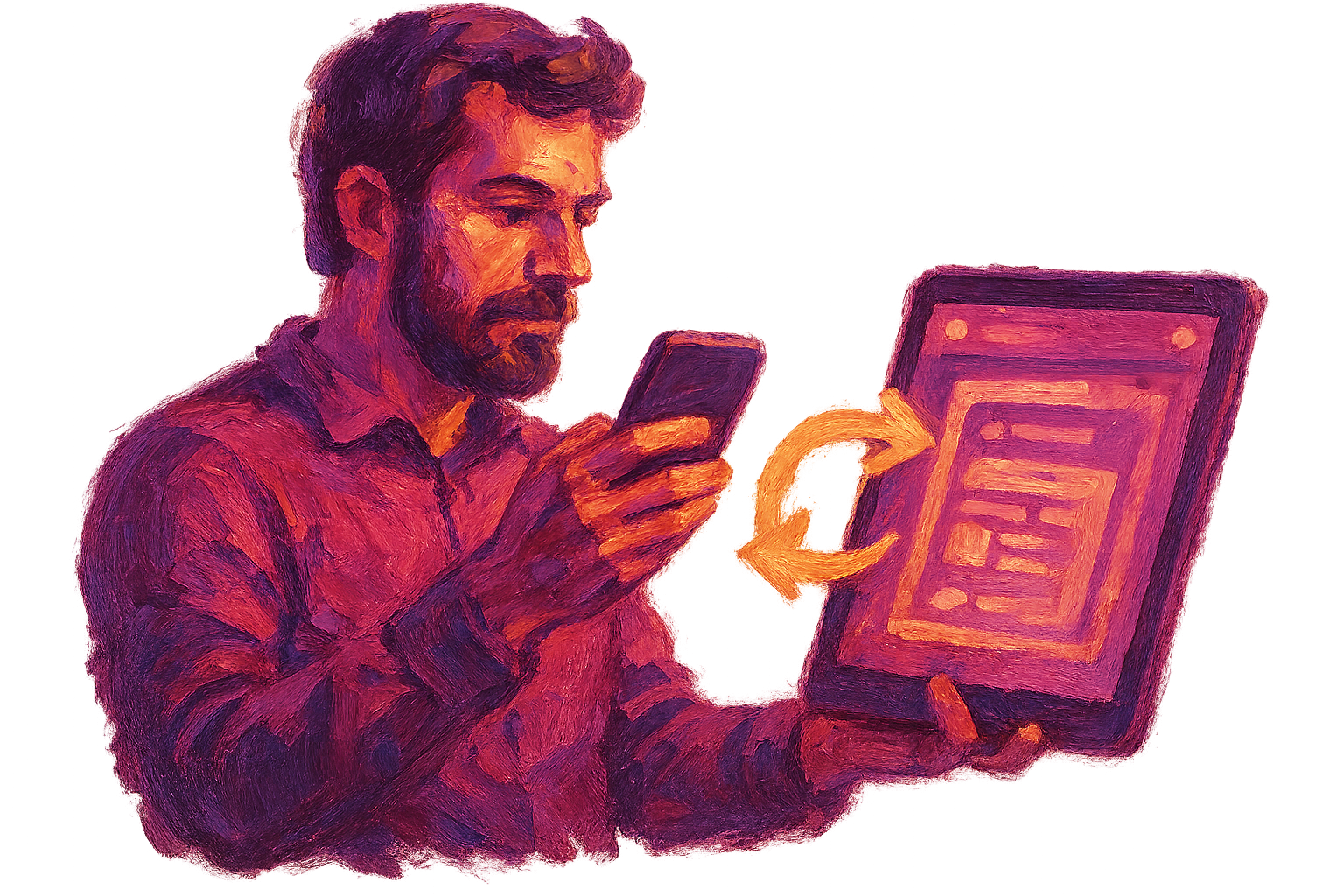





There are many signs to consider to determine if your website has been hacked.

Signs of Hacking: How Can You Tell If Your Website Has Been Hacked?#
There are many signs to consider to understand whether your website has been hacked. These signs can provide serious clues about your site's security. Hacking incidents usually do not appear suddenly; instead, they have certain stages, and detecting these stages early is critical to preventing further damage. Therefore, you need to closely monitor your website and carefully observe potential signs of hacking. The expert team at Türk Bilişim can help you deal with such situations and take the necessary precautions.
Quick Summary
- Sudden changes or unexpected content appearing on your website are signs of hacking.
- A sudden drop in site speed or interruptions may result from cyber attacks.
- Constantly changing your passwords or occasionally losing login information indicates a hacking situation.
1. Sudden Content Changes#
Sudden content changes observed on your website are one of the most obvious signs of hacking. For example, content you have not published before, unfamiliar links, or spam content may appear on your homepage. Such abnormal situations usually indicate that a malicious attacker has gained access to your site. Additionally, along with content changes, unwanted messages arriving in your email can also be a sign of such an attempt. If you notice such content changes on your site, you should immediately assess the situation and take necessary precautions.
- If unfamiliar links appear on your web pages, the likelihood of hacking is high.
- If you notice that texts or images on your site have been altered without permission, this could be a sign of an attack.
- If your site is listed in search engines with unfamiliar or suspicious content, it indicates you have been hacked.
2. Drop in Site Speed and Interruptions#
Many users may think it is just a technical issue when they have difficulty accessing websites or the site loads very slowly. However, this can sometimes be a sign of cyber attacks. A hacked site often experiences performance issues. Drops in site speed can result from excessive server load or malicious software running. Therefore, you should regularly check your website's speed and contact Türk Bilişim immediately if you detect performance issues.
3. Changes or Loss of User Information#
If user information, especially passwords or personal data, is regularly changed or lost on your website, this is among the signs of hacking. If unexpected login attempts or password reset requests occur in your users' accounts, this may indicate the presence of cyber attackers. As Türk Bilişim, we recommend that you inform your users about such situations and have them change their passwords immediately. Additionally, you may consider implementing security measures such as two-factor authentication to ensure the security of user accounts.
In conclusion, to understand whether your website has been hacked, you need to carefully observe the signs mentioned above. If you encounter any symptoms, it is important to seek professional support without delay. The expert team at Türk Bilişim is here to ensure your website's security and take precautions against potential threats. Remember, a secure website is one of the most important steps to gaining your users' trust and growing your business.
Must-Haves#
These are the essentials that must be included:
Bonus#
These are optional but make a difference:
All these elements are installed end-to-end by Türk Bilişim from a single source and activated in a way suitable for your business.
Security Measures: What Should You Do to Avoid Being a Target?#
Security measures are becoming increasingly important in the digital world every day. Being vulnerable to cyber attacks can cause serious harm to individuals and businesses. Especially with the recent increase in data breaches and cybercrimes, the importance of security measures has been further amplified. Some precautions you can take to avoid being a target can help lay the foundations of your cybersecurity strategies. In this article, we will explore effective security measures and discover ways to achieve a safer experience in digital environments.

Use Strong Passwords#
Passwords are the most fundamental line of defense for securing your accounts. However, using strong passwords is an important step that many users overlook. A strong password should consist of at least 12 characters and include uppercase letters, lowercase letters, numbers, and special characters. For example, instead of simple passwords like "123456," complex passwords like "Secur1ty!2023" should be preferred. Additionally, using different passwords for each account will protect your other accounts if one account is compromised.
- Choose passwords longer than 12 characters and complex.
- Use different passwords for each account.
- Store your passwords securely using password managers.
Perform Regular Updates#
Software and system updates are critical for closing security vulnerabilities. When software developers detect security flaws, they release updates to fix these issues. Therefore, regularly updating your operating system, applications, and security software provides protection against cyber attacks. For instance, an operating system update can add new security features and patch existing vulnerabilities. Missing these updates could allow malicious software to infiltrate your system.
Ensure Network Security#
Network security is an issue that needs attention at both individual and corporate levels. To ensure strong network security, you should set a strong password for your wireless network and block unnecessary access. Additionally, using firewalls and antivirus software minimizes external threats to your network. For example, a firewall can monitor incoming and outgoing traffic and block suspicious activities.
Provide Awareness Training#
Employees can be the biggest security vulnerability for a company. Therefore, providing cybersecurity awareness training is essential for both individuals and businesses. Employees should be trained on recognizing phishing attacks, safe internet usage, and being cautious against social engineering techniques. For example, if an employee clicks on a suspicious link in an email, the company's data could be compromised. Awareness training can prevent such situations and enhance security.
In conclusion, taking security measures is vital to avoid being a target in the digital world. Using strong passwords, performing regular updates, ensuring network security, and providing awareness training are among the most important of these measures. Take action to strengthen your security measures and protect your digital assets. Remember, security is an ongoing process that requires constant attention; therefore, being proactive is the most effective defense against threats.
Pros and Cons#
Advantages
- You can minimize data loss with a quick response.
- By increasing your website's security, you provide protection against future attacks.
- You can protect your brand image by regaining customer trust.
Points to Consider
- Data loss may occur during restoration processes.
- If a thorough analysis is not conducted after an attack, the same issue may recur.
First Steps After a Hack: What Should You Do?#
When your website is hacked, the situation you face can be quite stressful and complex. However, without panicking, it is possible to manage the process and ensure security by taking specific steps. First, if you have confirmed that your site has been hacked, you must act immediately and take control of the situation. At this stage, it is important not only to secure your site but also to protect user data and your reputation. In this article, we will share the basic steps to take after a hack and the points to consider. Remember, acting quickly is critical to minimizing damage.
1. Assess the Status of Your Website#
When dealing with a hacked website, the first thing you need to do is assess the security status of your site. You can follow these steps for this:
- Check site access: If you cannot access your site, this could be a sign of a hack.
- Examine site traffic: Review traffic data using analysis tools to detect suspicious activities.
- Check file and data integrity: Inspect your website's files and database for any suspicious changes.
2. Perform Server and Software Updates#
After a hack, promptly updating your server and software is a critical step. Outdated software may have security vulnerabilities that could allow hackers to attack your site again. Things to consider during updates:
- Update your web server software: Using the latest versions of your server software enhances security.
- Update CMS and plugins: If you are using a content management system (CMS), make sure to update your plugins and themes.
- Enable automatic updates: If possible, enable automatic updates to keep your software continuously up to date.
3. Review Security Measures#
After a hack, it is important to review existing security measures and take additional precautions if necessary to increase your site's security. What to consider at this stage:
- Implement a strong password policy: Complex and strong passwords should be created for all user accounts.
- Enable two-factor authentication: Use two-factor authentication to add an extra layer of security to your user accounts.
- Set up a firewall and intrusion detection systems: A web application firewall (WAF) and other security systems are effective in protecting your site from external threats.
Having your site hacked can be a difficult experience, but by following the right steps, you can take control of the situation. You must carefully take each step to protect user data and maintain your reputation. By following the steps above, you can strengthen your site's security and be prepared for future threats.
Common Mistakes#
Neglecting Updates
Failing to update the software and plugins on your website leads to security vulnerabilities. Attackers can infiltrate your system using known security flaws. Therefore, regularly updating your software is critical to enhancing your security.
Using Weak Passwords
Using weak and easily guessable passwords makes it easier for cyber attackers to access your accounts. Creating strong passwords and changing them regularly is important to increase your security. Additionally, you should avoid using the same password for different accounts.
Insufficient Backup
If your website is hacked and no backup has been made, data loss can occur. Regularly backing up allows you to quickly restore your site after a potential attack. Storing your backups in a secure location and updating them at regular intervals is an important part of this process.
Data Security and Recovery: How to Protect Your Information?#
Data security has become a vital topic for both individuals and businesses today. The rapid advancement of information technologies and digitalization increases the value of data while also leading to a rise in cyber threats. Cyber attacks, data loss, and theft can pose serious problems for businesses of all sizes. Therefore, the precautions you take to protect your data have become not just a need but a necessity. In this article, we will detail how you can protect your data, how to prevent potential threats, and how to recover in the event of data loss.

Basic Measures for Data Security#
There are several fundamental steps to ensure data security. These steps are valid for both individual users and businesses. First and foremost, using strong and complex passwords is one of the most basic security measures. Regularly changing your passwords and using different passwords for different accounts can prevent potential theft attempts.
- Using strong encryption methods
- Implementing two-factor authentication
Backup Strategies#
In the event of data loss, one of the most effective ways to recover your data is to perform regular backups. Backup processes can be carried out using both physical and cloud-based methods. While physical backups can be made on external hard drives or USB drives, cloud-based backups store your data on secure servers over the internet. By using both methods, you can protect your data more securely.
Methods to Protect Against Cyber Threats#
Today, cyber threats are constantly evolving and becoming more sophisticated. Therefore, using cybersecurity software is one of the most effective ways to enhance your security. Antivirus software detects and blocks malicious software, protecting your system. Additionally, firewalls provide an extra layer of protection against cyber attacks. Taking these measures is critical for protecting your data.
Data Recovery Methods#
In the event of data loss, being knowledgeable about recovery methods can minimize your losses. First, it is important to back up lost data in accordance with legal procedures regulated in Turkey. If you have not made a backup, you can benefit from professional data recovery services. Such services use specialized techniques to recover lost data. The data recovery process can cover various situations such as disk damage, deleted files, or an accidentally formatted drive.
In conclusion, data security and recovery processes are important elements to consider in business life and daily life. With strong encryption, regular backups, and effective cybersecurity solutions, you can protect your data and minimize potential data losses. These steps in data security not only protect your current data but also prepare you for potential future threats.
The Importance of a Proactive Approach in Cybersecurity
The security of your website should be ensured not only through post-attack interventions but also through proactive measures. Detecting security vulnerabilities in advance is the most effective defense against cyber attacks.
Adopting an approach equipped with continuous awareness and updates in cybersecurity protects your business's reputation and increases customer trust. A strong security infrastructure provides protection not only against attacks but also against other threats such as data breaches.
Precautions Against Future Attacks#
As the technology world evolves rapidly, the complexity of cyber attacks is also increasing. The attacks we may face in the future will not be limited to data theft; they can manifest through many different methods such as ransomware, DDoS (Distributed Denial of Service) attacks, and social engineering. Therefore, it is critically important for businesses and individuals to take measures that will enhance their ability to cope with these threats. Primarily, increasing cybersecurity awareness, using up-to-date software, and establishing security protocols are necessary. As Türk Bilişim, we develop strategies with our expertise in this field to increase the security of your business.
Firewalls and Network Security#
Firewalls monitor incoming and outgoing data over a network, preventing malicious traffic flow. Using a strong firewall constitutes the first line of defense against cyber attacks. Additionally, network segmentation is important; partitioning the network restricts an attacker's access to the entire network. For example, by keeping a company's financial data and customer data in different network segments, damage can be minimized in the event of a potential attack.
- Data protection through network segmentation
- Regular updating of firewall configuration
Up-to-Date Software and System Updates#
Software should be regularly updated by developers, and security vulnerabilities should be patched. An outdated software version can become a target for cyber attackers. For instance, in 2020, many large organizations faced serious security issues due to outdated software. Therefore, software updates should be automated, and the use of current software should be ensured. As Türk Bilişim, we continuously monitor these updates in our system integration processes.
Employee Training and Awareness#
Many cyber attacks originate from human error. Training employees on cybersecurity will act as a shield against social engineering attacks. For example, an employee knowledgeable about phishing attacks can more easily recognize suspicious emails and protect the business against such attacks. Organizing training programs and repeating these trainings at regular intervals is an effective method to increase cybersecurity awareness.
In conclusion, the precautions to be taken against future cyber attacks will increase the security of businesses and enhance resilience against potential threats. The expert team at Türk Bilişim offers all the necessary solutions to strengthen your business's cybersecurity. Remember, a robust cybersecurity strategy must be supported not only by technological measures but also by the human factor. Take your steps to be prepared against future attacks.
Contact Turkish Informatics#
Get a free discovery and quote from Turkish Informatics' expert team for your project; let's achieve your digital goals together:
- Phone: 0216 755 3 555
- WhatsApp: 0532 216 07 54
- Email: [email protected]
- Web: turkbilisim.com.tr
Bu içeriği nasıl buldunuz?
Reaksiyon vermek için giriş yapmanız gerekiyor.
You Might Also Like






Gallery